






.webp?width=250&height=131&name=how-to-use-gdms-q1-2024%20(1).webp)








7 Minute Read or Listen
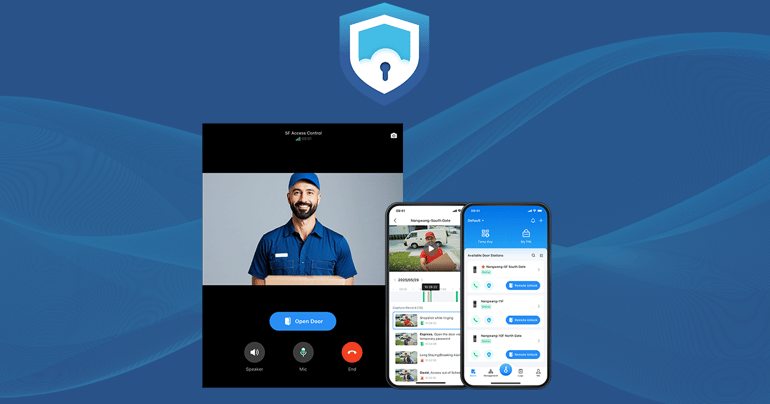
Grandstream SecureAccess is our cloud-based access control management solution compatible with the GDS3720 Series of Smart IP Video Door Stations. This solution enhances users’ interactions with a GDS3720 series Door Station and allows building admins to have more control and flexibility in their deployment. Users and residents can open doors, video call visitors, and create temporary passwords using the SecureAccess app. Administrators can also remotely manage users and residents, configure door stations, and view door logs using the SecureAccess app. In this blog post, we’ll cover the major features available to standard users and building admins, and how the app makes GDS management smarter and more secure.
Looking for something more technical? Read our technical documentation here.
Features for Standard Users
SecureAccess is accessible for both standard users and administrators. For standard users, key features include multiple unlocking methods, the ability to preview and screen videos, and additional security measures to help users feel safer and more in control.
Multiple Unlocking Methods
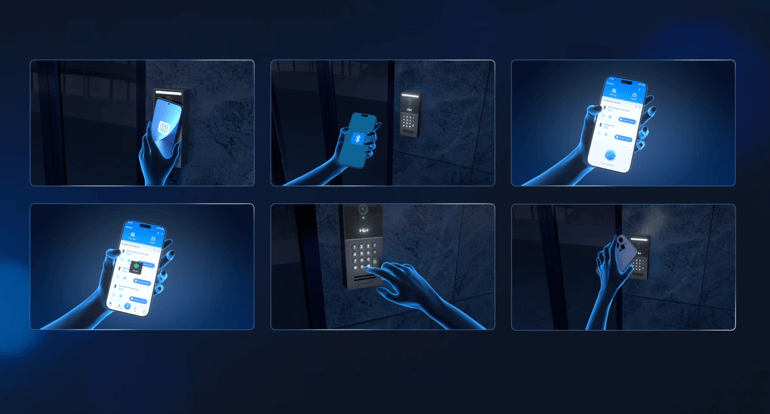
SecureAccess supports various door-opening methods, including Bluetooth, NFC, IC/ID, PIN, and temporary password unlocking. With Bluetooth, users can unlock in four possible modes.
- One-Tap: Tap a blue key icon on the app to unlock
- Hands-Free: Walk towards the door, and the app will automatically unlock with the phone detected
- Shake Phone: Shake the phone to unlock a nearby door station
- Door-Unlocking Distance: Adjust the maximum unlocking distance from the GDS device
NFC unlocking allows users with Android phones to tap their phone near the door station reader to unlock. Users can unlock doors with their IC/ID cards. However, users must access the administrator portal to edit and bind an IC/ID card to a user. Users can configure a PIN code on the app and unlock the door. Lastly, users can create temporary passwords to grant one-time access to visitors.
Previewing Videos
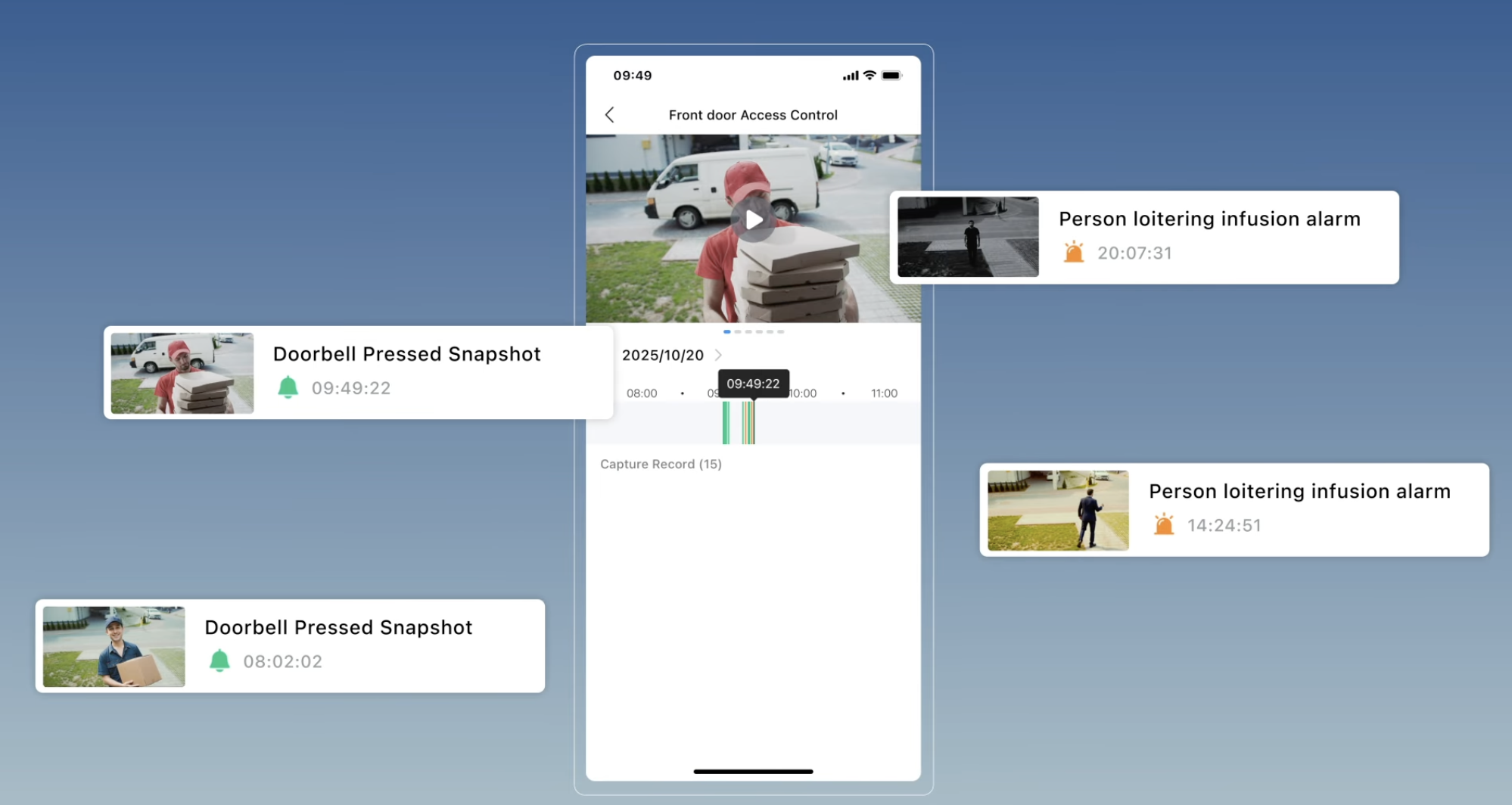
Users can see live video call previews using the SecureAccess app. For instance, when a visitor presses the doorbell, the app rings and displays the preview. Users can then either answer, reject, silence the call, or unlock the door for the visitor. Users may also be able to talk to the visitor with two-way audio enabled before unlocking or declining.
Enhanced Security
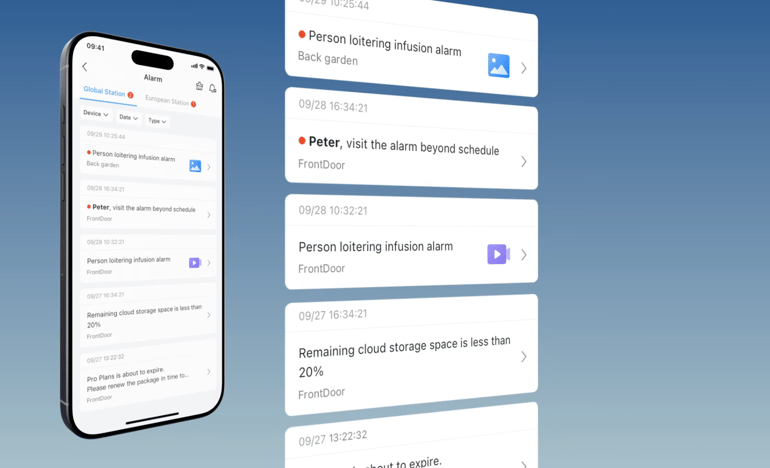
In the SecureAccess app, users can customize their GDS device's relay output, keypad, snapshot, and alarm settings. Users can set delay response times and schedule when the door is locked or unlocked. They can enable snapshots to go off when doors are unlocked or doorbells are pressed. Users can also turn on any alarm setting. The alarm features include loitering/intrusion, hijacking code, anti-tampering, multiple-error input, out-of-schedule access, unauthorized RFID/QR Code access, and high-temperature alarms. These settings allow users to feel safer in their private spaces.
Features for Admins
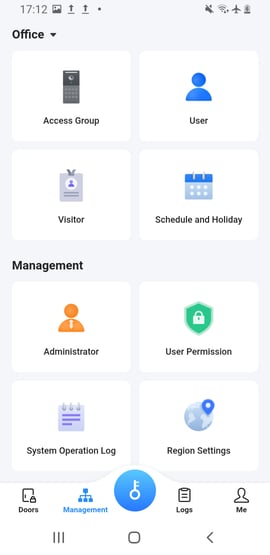
The SecureAccess app has several features designed specifically for administrators. Administrators can remotely manage who is allowed in, manage door stations, and review system operation logs. This gives administrators more control over how and when their building's GDS devices are operated.
Remote Management
Administrators have access to functions such as Access Group, User, Visitor, Schedule, and Holiday. Access groups are defined by which door stations a set of users can operate and when. Admin can assign a schedule for access groups to be activated, which allows them to grant and revoke door access to certain users. Admin can add new users to the system. By adding new users, admins can customize details such as basic information, assign a virtual number and PIN code, set their access rights, create login credentials, and define permissions and features. Admins can create schedules with different time segments, and holiday schedules can be created or imported from pre-configured national holiday lists.
Configure Door Stations
Administrators can add GDS door stations to SecureAccess, configure their parameters, and then actively manage them. Door stations are added to SecureAccess by either using a Bluetooth scan or manual entry. Once the door station is added, the admin can adjust device settings and customize the door unlock/relay, snapshot, doorbell call mode, door unlock methods, alarm, and alarm notification settings. The settings define the door station parameters and determine how, when, and where users can enter and exit areas.
View Door Logs
Lastly, administrators can access the door unlock, call, and other system logs through the SecureAccess app. Logs are stored for 90 days, and the search window for these logs is 30 days. The logs can be filtered by time, region, or operation type. The logs tab is divided into three categories: Door Unlock, Call, and Other. Door unlock events, such as the specific door station, user time, and unlocking method, are all recorded in the cloud. The information from snapshots is also displayed in the door unlock tab. The call log tab includes missed, answered, and outgoing calls taken from a specific door station. The other log tab records system-level events related to the door station, such as device firmware updates, configuration changes, startups, factory resets, and administrator/user logins to the device web UI. These logs ensure that all the adjustments made are recorded for monitoring and auditing purposes.
In conclusion, the SecureAccess app elevates the GDS Door Station offering and deployment by giving users and administrators access and control right from their phone. Users can access their facility easily by choosing the unlock method that is best for them, screening videos before letting others into their spaces, and enabling specific settings for extra safety. Administrators can control their door station’s functions by managing specific user and visitor permissions, defining access groups, and creating schedules. They can set up each of the door stations’ parameters and view records of all the GDS interactions from the last 30 days to monitor access and events. SecureAccess creates centralized control, management efficiency, and high-performance, high security for both businesses and residential communities.
Learn more about the SecureAccess app by visiting our product page here.
Check out visual deployment scenarios by watching our SecureAccess video here.
Dive deeper into SecureAccess by visiting our technical documentation here.
Explore more about the GDS3720 Series by viewing our product page here.